Remote display & timing control
Reach any display, anywhere.
RemoteDisplay sends data from the internet to local display boards without laying cables or getting physical access to them. Configure an unlimited number of scenes and switch between them at any time — a clock, a runtime with a given start time, a "start delayed" message, or timing data relayed straight from a remote device to your local timing software.
Three ways to connect
One service, several signal paths
Remote Display

An unlimited number of scenes can be pre-configured and changed at any time - one scene for a clock, one for a runtime with a given start time of day, one for a text saying start delayed…
The display board is driven by an RS232-capable router or by an Android phone, wired over USB or through a network converter — see the options below.
Remote Timing
Timing data like impulses or bib stages can be sent from a remotely deployed timing device to local timing software. No physical access like wires or a local wireless connection is needed anymore.
Remote Redirect
Basically, any type of small pieces of data can be transmitted from one location to another — be it a software or hardware device that is sender or receiver.
Remote Display
Three ways to drive a display board
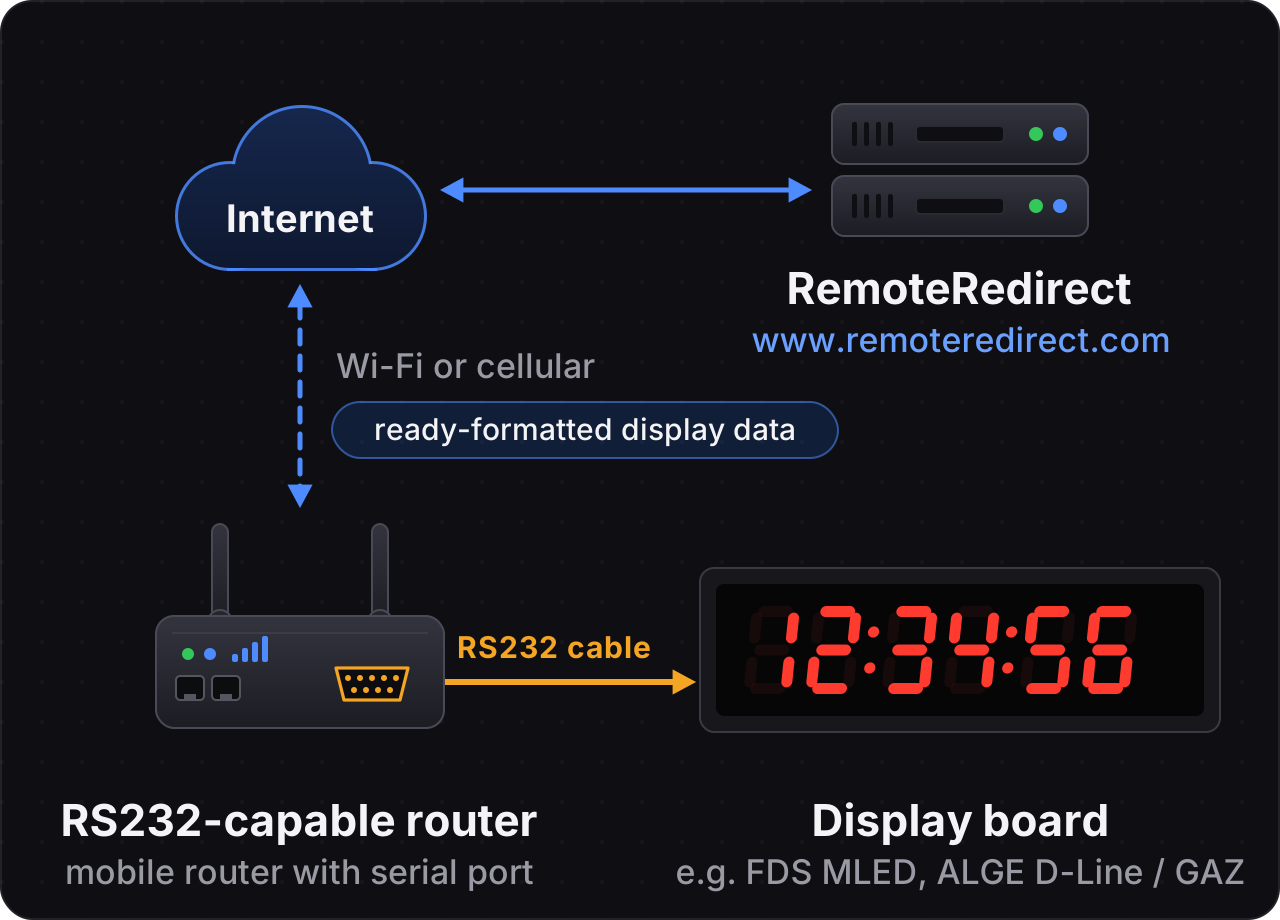
RS232-capable router
A local RS232-capable internet router receives already formatted data and sends it onto the display board. This needs a reliable internet connection.
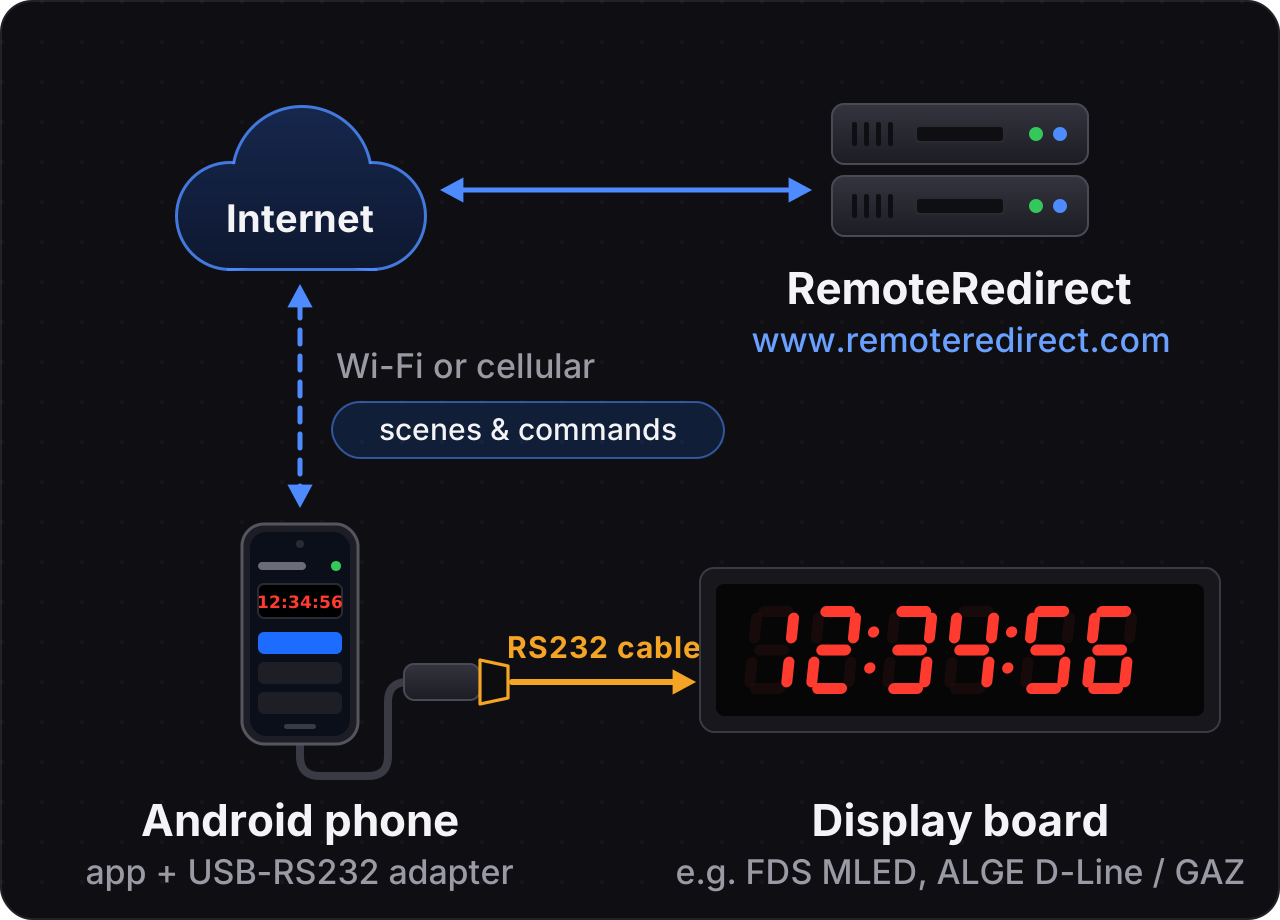
Android phone with USB-RS232 adapter
A phone with a USB-RS232 adapter receives the remote control commands and generates the data for the display board locally. This way you keep all the benefits of the webservice while still running smoothly even when connectivity is not reliable.
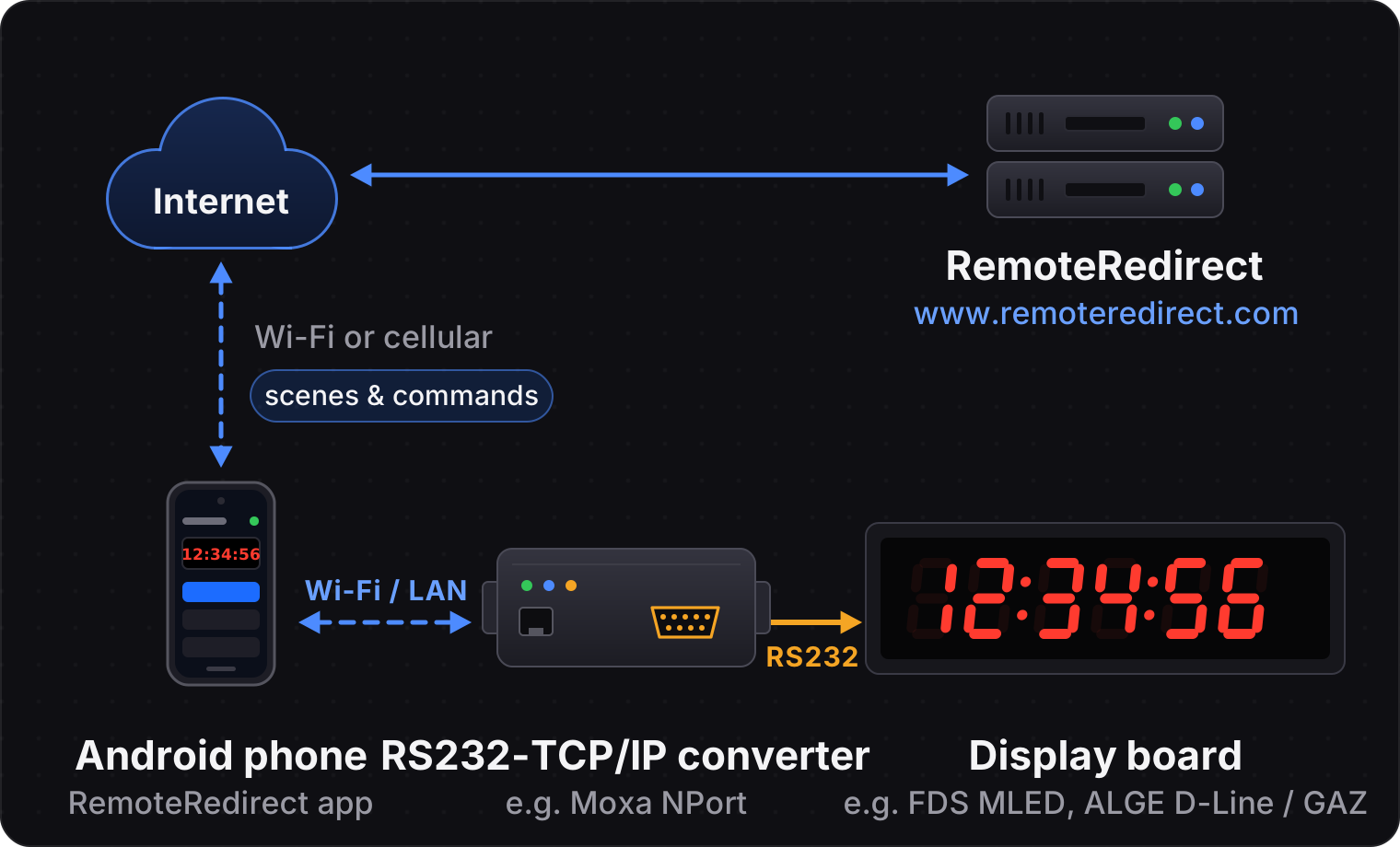
Android phone with RS232-TCP/IP converter
Instead of a USB cable, the phone reaches the display board over the local network: an RS232-TCP/IP converter such as a Moxa NPort sits next to the board and turns the data it receives over Wi-Fi or LAN into RS232. The phone can stay wherever it has the best reception, and the data for the display board is still generated locally on the phone.
The online documentation shows a list of recommended approaches for connectivity and how to configure these devices.